


Every manufacturer eventually hits the same fork in the road: keep making customers call, email, and fax (yes, still fax) to check an order status — or give them a portal that does it for them.
The idea sounds simple. The execution usually isn’t. Most manufacturing and distribution teams either shelve the project because it feels like a six-month IT initiative, or they build something in-house that quietly turns into a second full-time job for whoever owns it.
Here’s the good news: a working, ERP-connected customer portal doesn’t have to be a quarter-long build. Done right, the first version — the one your customers actually notice — can go live in an afternoon. Let’s talk about how, and why so many teams get stuck before they even swing.
The Real Problem Isn’t the Portal. It’s the Build-vs-Buy Trap.
Talk to enough manufacturers running Epicor or Infor ERPs and a pattern shows up fast: the ones without a portal aren’t behind because they don’t see the value. They’re behind because “build a portal” turned into “build and maintain two separate systems forever.”
One conversation that plays out constantly: a mid-market manufacturer already has a B2B portal — built in-house, running for years, technically “live.” But adoption is low. Customers still call in. Why? Because the portal and the company’s eCommerce platform were built as two separate, disconnected systems, both maintained by the same small internal team. Every ERP upgrade becomes a two-front war: patch the ERP, then patch the custom code that was never designed to move with it. The team isn’t short on effort. They’re short on runway, and an internal build that isn’t natively connected to the ERP is one upgrade cycle away from becoming unsupportable.
That’s the trap. A homegrown portal feels like ownership. In practice, it’s technical debt with a login screen.
What “Crawl, Walk, Run” Actually Looks Like
The teams that get this right don’t try to launch a fully loaded customer experience on day one. They sequence it.
A great real-world example: a lean, four-person manufacturing team processing over 600 orders a month — and that’s before you count intercompany transfers and purchase orders — doesn’t have the bandwidth for a big-bang rollout. They need something that lifts weight off the team immediately, not a year-long systems integration project. Their ask wasn’t “give us everything.” It was “give us the 20% that removes 80% of the phone calls and manual re-keying, and let us build from there.”
That’s crawl, walk, run in practice:
- Crawl: Customers can log in, place orders, and check status without a phone call. This alone is the single highest-leverage step for a small team drowning in order volume.
- Walk: Layer in richer self-service — order history, reorder shortcuts, document access, account-specific pricing.
- Run: Extend into full connected commerce — CPQ, guided selling, AI-assisted part lookup, deeper personalization.
Teams that are already leaning toward AI and automation want to know the foundation supports that future — not that they’re buying a dead-end tool they’ll rip out in 18 months.
Why the First Move Should Be an Express Portal
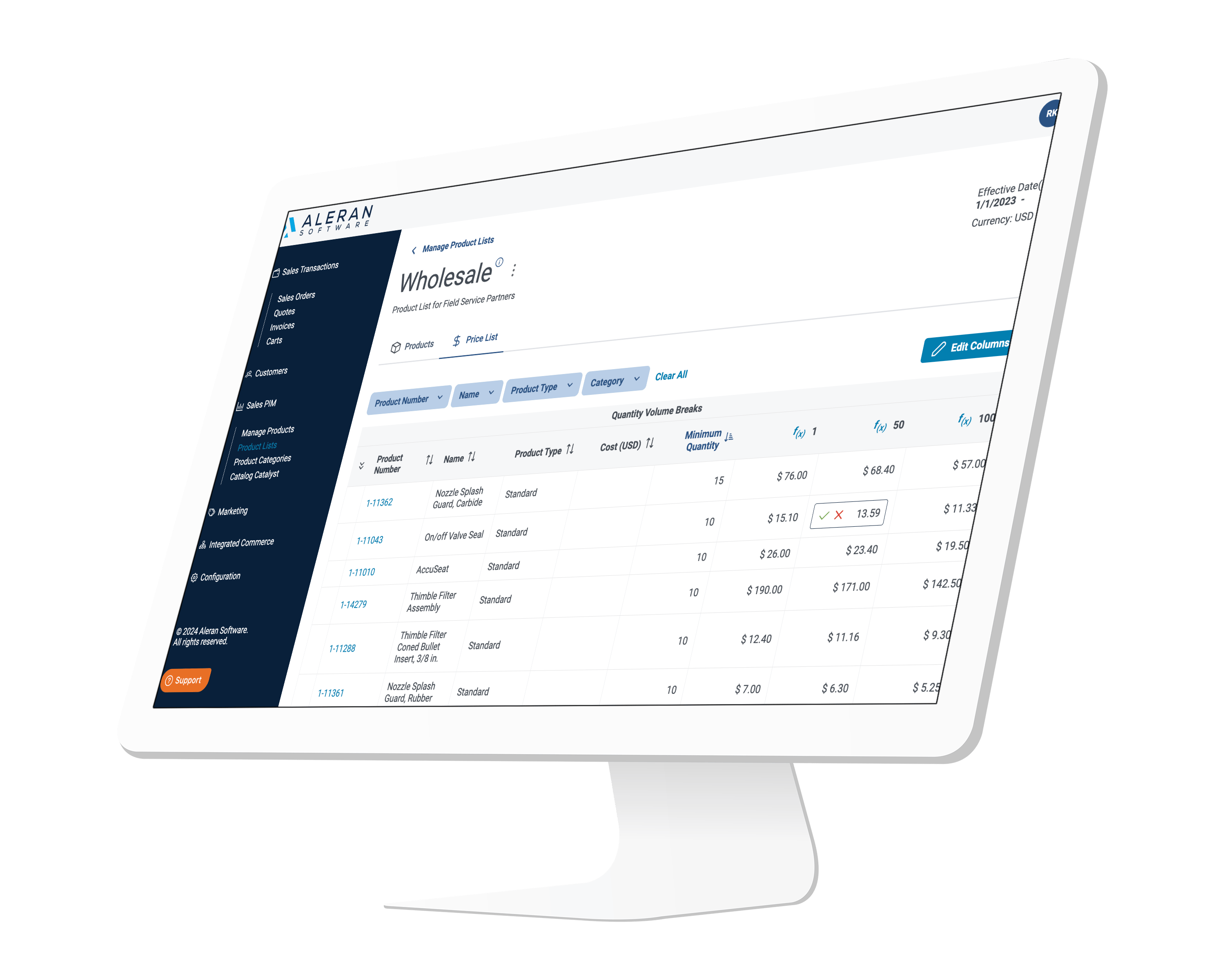
This is where an Express Portal approach earns its name. Instead of scoping, designing, and building a custom portal from scratch — the thing that turns into a permanent internal project — an Express Portal gives you a pre-built, ERP-connected self-service layer you can stand up fast, without touching your ERP’s core configuration or your eCommerce platform’s architecture.
For a small team managing hundreds of monthly orders across multiple order types, that means:
- No custom development to maintain alongside the ERP and eCommerce stack
- Native connection to Epicor or Infor data, so order status, history, and account details are always accurate
- A foundation that scales into full connected commerce (CPQ, portal, guided catalogs) instead of a dead end
- A live, working portal in the time it takes to run a workshop — not a project plan
That last point is the “afternoon” part, and it’s not a marketing exaggeration. Because the connective tissue to the ERP already exists, the heavy lift isn’t custom-coding a portal — it’s configuring one that’s already built for Epicor Kinetic, Prophet 21, Infor CSI/SyteLine, Infor XA, and Infor LX environments.
Manufacturing Will Lose Every At-Bat It Doesn’t Take
Aleran will lose every at bat it doesn’t take — and so will every manufacturer sitting on a customer portal decision. Every quarter without self-service is another quarter of a small team fielding calls that a portal should be handling, and another ERP upgrade cycle where a homegrown build gets a little more fragile.
The fix isn’t a bigger project. It’s a smaller first step, taken on a platform built to grow with you.
Aleran Connected Commerce sits in front of Epicor and Infor ERPs) as a self-service sales and customer layer — without replacing the ERP underneath it. Manufacturers using it see an average 26% year-one revenue lift, a 20% improvement in operational efficiency, and a 90-day go-live. The Express Portal is the crawl step in that path: fast to deploy, natively connected, and built to expand into full CPQ and connected commerce when you’re ready to walk and run.
Frequently Asked Questions
How long does it take to build a manufacturing customer portal? With a pre-built, ERP-connected Express Portal, a basic self-service experience — order status, order history, reordering — can be configured and live in as little as an afternoon. Fully custom in-house builds typically take months and require ongoing internal maintenance.
Can a customer portal work with Epicor or Infor without custom development? Yes. Platforms designed to natively integrate with Epicor Kinetic, Prophet 21, Infor CSI/SyteLine, Infor XA, and Infor LX allow a portal to pull live order, account, and pricing data without custom middleware or a parallel system to maintain.
What is a “crawl, walk, run” approach to a customer portal? It’s a phased rollout: start with core self-service (crawl), add richer features like order history and account-specific pricing (walk), then expand into full connected commerce with CPQ and AI-assisted tools (run) — rather than attempting a full-featured build on day one.
Why do in-house customer portals often fail after ERP upgrades? When a portal is custom-built separately from the ERP and eCommerce platform, every ERP upgrade risks breaking the custom integration. Small internal teams end up maintaining two disconnected systems instead of one connected platform, which increases risk and slows adoption.
Is a customer portal worth it for a small manufacturing team? Yes, especially for lean teams processing high order volumes. A four-to-five person team handling hundreds of orders monthly benefits disproportionately from self-service, since even modest adoption removes a significant share of manual order-status calls and re-keying.
Ready to see what CPQ built for manufacturing sales — not engineering — looks like in practice? Schedule a demo
Related Reading:
- How to Build a Customer Portal for Infor SyteLine (That Actually Works for Dealers)
- Manufacturing is Growing Again – But Cost Pressures Are Eating Your Margins. How ERP-Connected Portals Can Help.
- Why You Shouldn’t Build Your Own Self-Service Portal for Manufacturing Customers – Or Reps, Dealers or Distributors
